Skip to product information

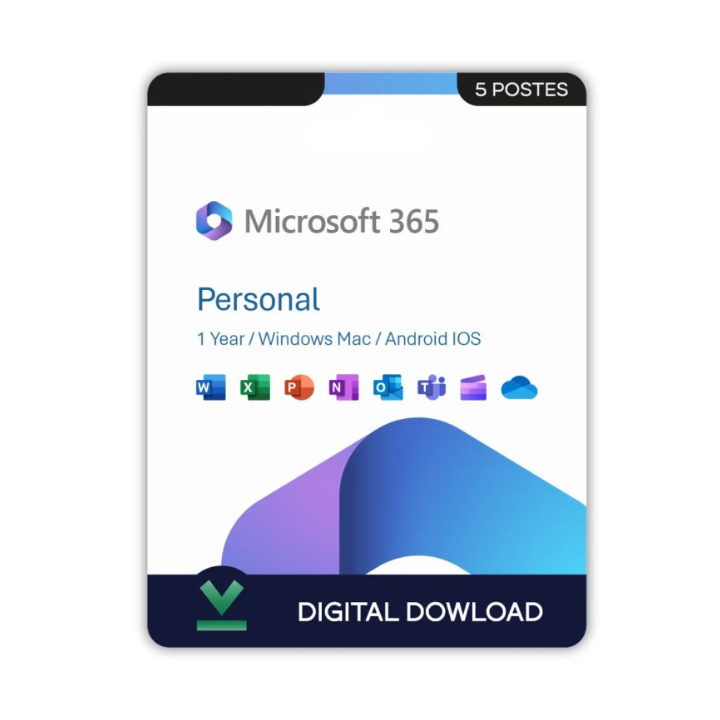
Office 365 Personal - Licence perpetual

Regular price €5,99 EUR
Sale price €5,99 EUR
SALE SOLD OUT
Operating system: macos

Details

☑ Product key with official download link

☑ Lifetime access – No subscription required

☑ Compatible with Windows PC only

☑ For use by one person on one device


This Product Includes

Office 365 Personal US

Enjoy powerful productivity and premium protection — all in one bundle.


What's Included

☑ Office 365 Personal US Edition

Activate and enjoy the latest version of Office 365 Personal for 1 user, compatible with Windows, Mac, iOS, and Android.

Includes:

☑ Microsoft Word

☑ Microsoft Excel

☑ Microsoft PowerPoint

☑ Microsoft Outlook

☑ Microsoft OneNote

☑ 1 TB of OneDrive cloud storage

☑ Ongoing security updates and feature enhancements

☑ Works with your Office account (US region)


System Requirements

Processor: 1.6 GHz or faster, dual-core processor

RAM: 4 GB or more (64-bit), 2 GB or more (32-bit)

Storage: 4 GB available disk space

Graphics Card: DirectX 10 compatible graphics card

Display: 1280 × 768 resolution or higher

Operating System: Windows 11, Windows 10, or the latest three versions of macOS

Internet: Internet connection required for activation, subscription management, updates, and access to cloud-based features and services.


Activation Details

1. Receive Your Product Details

☑ After your purchase, you will receive your Microsoft 365 Personal product key along with activation instructions.

2. Sign In to Your Microsoft Account

☑ Visit https://setup.office.com and sign in with your Microsoft account. If you do not have one, create a new account and proceed.

3. Redeem Your Product Key

☑ Enter the product key provided with your purchase and follow the prompts to redeem your Microsoft 365 Personal subscription.

4. Download and Install Microsoft 365

☑ Once the subscription has been added to your account, download and install Microsoft 365 on your device by following the on-screen instructions.

5. Complete Activation

☑ Open any Microsoft 365 application such as Word, Excel, or PowerPoint and sign in with the same Microsoft account used during redemption. Your subscription will activate automatically.


Microsoft 365 Setup Link

https://setup.office.com

Licentie-informatie

Na uw aankoop ontvangt u de benodigde licentie- of accountgegevens om de software te activeren. Autodesk-licenties zijn geldig tussen 1 en 3 jaar. SketchUp, Windows, Office en andere software worden geleverd met een levenslange licentie. Bewaar uw licentiegegevens goed voor toekomstige toegang en updates.

Levering

Ontvang uw software direct na aankoop geen wachttijd en geen verzending nodig. Zodra uw betaling is bevestigd, worden uw digitale download en activatiegegevens onmiddellijk naar uw e-mail gestuurd, zodat u meteen kunt installeren en aan de slag kunt.

Installatiegids inbegrepen

Bij uw bestelling ontvangt u een downloadlink, de installatiebestanden en duidelijke installatie-instructies. Volg de meegeleverde stappen om de software eenvoudig op uw computer te installeren en te activeren met de verstrekte licentie- of accountgegevens. Mocht u hulp nodig hebben, dan staat ons supportteam klaar om u te helpen.

gegarandeerd

Uw softwarelicenties zijn gegarandeerd. Als u problemen ondervindt of fouten vindt met uw licentieaccount, kunnen wij deze vervangen. Een gedetailleerde installatiehandleiding wordt meegeleverd om u te helpen bij het installatieproces. Alle licenties worden geleverd met een 1 jaar garantie,gegarandeerd.
View full details

Hoe werkt het

Bij CADSuitePro is het verkrijgen van uw software eenvoudig en snel. Kies de gewenste licentie, voltooi uw veilige betaling en ontvang binnen enkele minuten uw activatiegegevens direct per e-mail. Volg de meegeleverde installatiehandleiding om de software eenvoudig te installeren en u kunt meteen aan de slag. Ons supportteam staat altijd klaar om u te helpen, zodat u een soepele en zorgeloze ervaring heeft van aankoop tot activatie.

CADSUITEPRO

CADSuitePro is a trusted provider of genuine software licenses, backed by over 10 years of industry experience. We specialize in supplying authentic, verified licenses for leading software products, ensuring every purchase is reliable, secure, and fully guaranteed. Our commitment to transparency, customer satisfaction, and competitive pricing has made us a trusted choice for professionals, businesses, and individuals worldwide.

Frequently Asked Questions

  1. Op hoeveel apparaten kan ik de Autodesk-licentie gebruiken?

    Je kunt de licentie op maximaal twee apparaten gebruiken. Dit stelt je in staat om zonder extra kosten zowel op je desktop als op je laptop te werken. De licentie is gekoppeld aan je Autodesk-account, waardoor je eenvoudig tussen apparaten kunt wisselen.
  2. Hoe snel ontvang ik mijn Autodesk-licentie?

    Binnen 5 minuten na het plaatsen van je bestelling sturen we de licentie naar het e-mailadres dat je tijdens het afrekenen hebt opgegeven. Je ontvangt duidelijke instructies zodat je meteen aan de slag kunt.

  3. Wordt de licentie gekoppeld aan mijn eigen Autodesk-Trimble-account?

    Ja, de licentie wordt rechtstreeks gekoppeld aan het Autodesk-Trimble-account dat je tijdens de activatie opgeeft. Je behoudt volledige controle over je installatie en toegang tot updates.
  4. Kan ik mijn Autodesk SketchUp-licentie behouden als ik overstap naar een nieuwe pc of laptop?

    Ja. Omdat de licentie is gekoppeld aan je persoonlijke Autodesk-account, kun je deze eenvoudig op een ander apparaat gebruiken. Log gewoon opnieuw in en download de software.
  5. Wat als ik hulp nodig heb bij de installatie?

    Je ontvangt duidelijke stapsgewijze instructies voor een vlotte installatie. Heb je vragen of ondervind je problemen, dan staat ons supportteam voor je klaar via e-mail of WhatsApp. Wij bieden volledige ondersteuning zowel vóór als na je aankoop.